Monday, February 17, 2014

Rebooting the Economy

The last two major car manufacturers are shutting down in my country. Cars produced by the local divisions of Ford and Mitsubishi were well regarded, but financial winds have blown elsewhere, and they are wrapping up operations.

If that was the only thing, I wouldn't be concerned. But the loss of so much top-tier capacity is going to have a ripple effect right down to the manufacturing base. Specialist bolt-making shops, alloy suppliers, robot repairmen, many will loose their largest and most reliable customer, and business will become untenable.

Then the ripples go up again, as the remaining assemblers find they now have to wait weeks for bolts to arrive from overseas, and the quality is different.

Meanwhile, no local car manufacturers will spring up to replace them, primarily due to the enormous cost of proving a vehicle crash-safe and compliant with all regulations, creating enormous entry barriers to anyone not already a multinational.

Don't worry, I'm going to propose a solution. First, lets lay out the problem:

The essential issue is that taking out the middle piece of the consumer cycle means that Australia is now a nation that produces incredible amounts of mineral ore (and base alloys) and is filled with insatiable consumers, but the middle step is to send billions of tonnes of metal overseas to have it refined, worked, forged, stamped, bent, folded, milled, drilled, ground, assembled, packed, and then sent back. Then we unpack it, put it into our mining machines, and the cycle repeats.

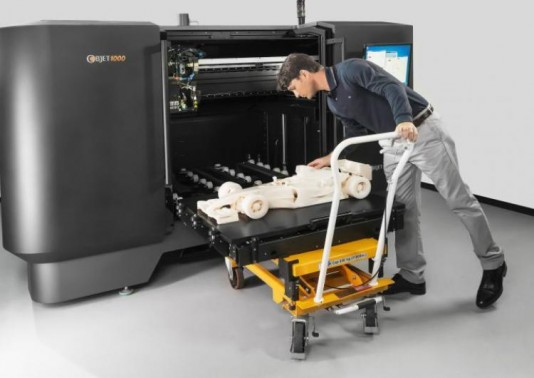
If only we had some kind of magic box where you could pour metal powder into the top and fully formed parts come out of a slot at the bottom. Then we wouldn't have to round-trip every kilo of material and lose out on the best part of the journey.

Oh, wait, we do.

From Dust to 3D Printed Gold Jewelry

Hey, if that worked... how about "if only we had a magic box that could make entire cars?"

Well, it's bigger than a matchbox.

OK, that's not bad, although I probably should have been more specific about the size.

I'm not going to waffle on about the benefits of 3D printing... that's been done. What I will point out is that if we've just decimated our traditional manufacturing industries, we have lots of experts in the art of metal who could be at home, building internet cottage businesses around endless bespoke customization (and teaming up with their local artists to do so) and fuelled by abundant local raw materials.

You know, "Middle Class" stuff. I hear it was popular during Victorian times.

The obvious way to accomplish that is to start handing out on 'semi-permanent loan' 3D printers to anyone with the skills to operate one, at least in the initial phases. We need a convenience store model running here, not a shopping mall. Let them operate out of their house, with a little counter-front, so you can send your design for print, and walk down ten minutes later to pick up personalized cutlery and a carton of milk.

Of course, the organization required to hand out tens of thousands of 3D printers puts this squarely in government territory. Since the benefits accrue nationally rather than concentrate anywhere specific, no sane commercial entity would consider it.

If you quickly establish a wide pool of expertise in a common 3D platform, then I'm fairly confident you just have to stand back from that point and make sure the new practitioners have a strong legal framework that protects their interests so long as they act in good faith. (Only licenced/verified machines to print safety/emergency gear, kind of thing.)

This is Star-Trek level thinking. Once you have enough identical replicators up and running, you can depend on them to make their own replacement parts, and improvements. Any design investment gets amortized over the whole network.

Distributed technologies have many advantages, especially social, but the big disadvantage is they take a long time to get real traction compared to a centrally-pushed agenda. (especially if they're in competition with one) Why not combine the best of both worlds?

That's the key here. The potential is great. The biggest risk of these new technologies was their chaotic - possibly decimating - impact on manufacturing, but that just happened anyway, and with no replacement.

The lessons of technology show that it doesn't really matter which platform you pick, so long as there is broad compatibility. Skills and software need to transfer easily. If you start with a fractured and incompatible base, you spend the first five years arguing whether VHS or Beta is superior.

We could skip over all that. Straight into a 21st century manufacturing base - distributed, locally advantaged, independant. Then the flood of little boxes on eBay will start going in the other direction.

The Chinese word for "crisis" is actually not the same as for "opportunity". But in English, it increasingly is.

Tuesday, February 4, 2014

Building a Droid Nervous System


I have been so old-school recently I'm practically covered in chalk. Here's a screenshot of what I've been working on. (Yup, photo stolen from my screens review.)


This is the 'main menu' of my new miniature programming environment. It's Turing-complete, real-time, multitasking, has an interactive editor/debugger, and is field-programmable. It's intended to drive small robot-like toys and devices, and is "non-linguistic" in that it only uses numbers and math-like symbols, not words, for all programming concepts.

It is also the simplest possible language I could create that fulfils those requirements. It's less complicated than most calculators. In fact, it tries very hard to act like one.

And it fits in 26K. It would probably work great as an industrial controller, too.

Primary Features:
  • 128 pre-allocated global variables, called 'signals'
  • (up to) 64 code fragments which can perform math operations and conditional tests on the signals.
  • A 'trigger list' per signal, which defines the code fragments to run when a signal is changed.
  • Some signals correspond to sensor inputs, so sensor updates will trigger code.
  • Some signals map to robot 'outputs' such as motor speeds, lights, and noises.
Here are several things that seem, at first glance, to be missing from the "language".
  • Names.
  • Loops.
  • Function calls.
  • Trinary operators.
  • Recursion.
  • Comments
The lack of names is intentional, (and there's no memory for comments) but the other concepts can actually be built out of the few axioms we start with.

This programming language is based entirely around "accumulator logic". The "accumulator" is technically the name of the big number displayed on a calculator screen. The number to which all operations are done when you press the buttons. Some calculators have buttons to store or reload the accumulator from "memory" slots, and it's this basic concept I ruthlessly extend, so keep it in mind.

Here is the complete list of all possible math and skip operators the language supports:

:=Left Assign=:Right Assign=0Skip if Zero
+=Left Add=+Right Add!0Skip if Not Zero
-=Left Minus=-Right Minus>0Skip if greater than Zero
*=Left Multiply      =*Right Multiply     <0  Skip if less than Zero
/=Left Divide=/Right Divide
&=  Left AND=&  Right AND
|=Left OR=|Right OR
^=Left XOR=^Right XOR

What's up with the "left" and "right" versions? Basically, it's the choice of whether the "next thing" modifies the accumulator, or the accumulator modifies the thing. All operators are 'symmetric', (including a few that don't make complete sense) and have only one "operand" (parameter) per op.

Assignment is the easiest to understand. If the "right hand thing" is one of the memory slots, then "left assignment" will load the accumulator with the memory value. If we "right assign", that's storing the accumulator back to the memory slot.

Instead of just assigning (copying) the value, we can 'combine' the source and destination numbers in various mathematical ways, like adding, multiplying, or boolean logic. But we always apply one thing onto another. (No triplets!)

There are some cases in which the symmetry is a little broken. Assigning the accumulator with the constant number "3" is clearly fine, but trying to set the constant "3" to any other value makes no sense, so it becomes a "NOP" - a "no operation". The closest thing we have to 'commenting out'.

However, either the left hand or right hand can be "indirected", and this is where the language powers up... I use surrounding brackets to indicate whether the side is treated as a raw number, or as a signal reference. Here's what a fragment of that code looks like:

  := 3Load accumulator with the constant value "3"
  =:(3)Store that in signal index (3)
  +=(4)Add the value of signal (4) to the accumulator. 
  += 1  Increment the accumulator by one.
  =+(5)  Add the accumulator to the value in signal (5)

Once again, the order and type of operations is exactly that if you had to solve the problem yourself using a calculator, albeit one with 128 memories.

Indirection is also symmetric: you can put brackets around the left hand side (the accumulator) and operations will occur to the signal that the accumulator value references. So the first two lines of the above code (which put the value "3" into signal "3") could be rewritten:

  := 3Load accumulator with the constant value "3"
():= 3  Indirectly load that signal (3) with the constant value "3"

When you are using the editor/debugger the accumulator values are shown down the left, so you know what's going where.

The comparison operators are a little different in that they don't have any indirection. They always test the current accumulator value, and their operand number is used as a count of "lines to skip" if the test is true. They don't even specify another value to test with... if you want to check equality with a number, you need to subtract that number beforehand yourself and then test for zero.

  :=(9)Load accumulator with signal (9)
  -= 13  Subtract "13", which is our test number
  =0 >> 1  If it was equal, skip the next line.
  := 1  Load accumulator with "1"
  =:(8)  Store the accumulator (now "0" or "1") into signal (8)

That's it. And while there are many obvious ways the language could be improved with extra "syntactic sugar" to make certain operations more convenient, they come at a cost.


Building Up From There

Function Calls:
So if there are no explicit function calls, how do we chain code together?

Traditionally we would define functions, their parameters, and return values. We'd name variables and have a call stack. We would have a line of code that 'calls' the function, and passes in the named variables on one side, to come out the other side with new names.

Remember that modifying a signal causes all the code attached to that signal to trigger and run. We can specify a code list in the original trigger, or we could (in one code) write a value to another signal which triggers more code.

What's happened here is that we now have to manually do the job the compiler used to. Variable names compile down, eventually, to a simple memory reference number. We now have 128 globals that we can put values into, and then call code which also has total access to those variables. So we can use the signals as the equivalent of parameter slots!

So instead of having a function which accepts three parameters, we can use any three signals we want as our parameter holders, and we make sure that changing one of them (or all of them) triggers the relevant code.

So we don't call functions explicitly, but we can change 'variables' which implicitly runs more code later.

However, we have lost the ability to wait for a reply. "Triggering" other code does not run it immediately. The current code fragment has to finish, before anything else can happen. In other words, we actually can't do procedural calls, but a form of message-passing.

Loops:
The language contains a 'skip forward' comparison operator, but no 'skip backwards' test, or 'goto' equivalent which would seem to be necessary to implement loops.

However, there's no reason why code can't write back to the signal that triggered it, in which case it will run again. Simple FOR-loops can be constructed by setting a signal to a start value, and decrementing by one if the value is still above zero. When the self-triggering code reaches zero, it will stop updating and the loop will end.

Since every triggered signal gets a chance to run (in order), multiple signals which are looping will be interleaved - a primitive form of multi-tasking.


Why?

The choices made seem weird, and restrictive, but let's look at some of the consequences that a LOGO or BASIC-inspired language couldn't do:

Multitasking: We could potentially have all 128 signals triggering themselves, checking for conditions to be satisfied, and then looping again. No signal is ever 'blocked' because another is performing a long calculation - since code always runs linearly, can't loop and can't jump to other code, each fragment is guaranteed to finish quickly.

Fixed Overhead: Moreover there is an essential problem with the idea of recursive function calls - they require a stack of unknown size. Every embedded call burns up more stack space, and there's not much to start with. We 'flag' code to be run, and get to it once the current code is complete.

Responsiveness: This is where the "Nervous System" idea comes in. We are not creating one big master program with a mainline code path - we are creating "fragments" that hang around waiting for their trigger conditions. "Reflexes", essentially. And we expect that sometimes those reflexes will work at cross-purposes. Hopefully the robot will externalize this conflict (by twitching to and fro) rather than sullenly sitting in an infinite loop.

LOGO has been the exemplar of educational programming for decades, but the kind of programming it teaches is close to obsolete. Web pages use javascript to attach event handlers to buttons, most of which never run. Databases use table triggers to cascade updates. Graphics cards have vertex and fragment "shader" hardware which do not allow variable-length loops or recursive calls or dynamic memory allocation, in order to get massively parallel performance.

Learning LOGO today would be counterproductive. It barely even prepares you for driving a turtle around, let alone modern programming concepts. And what I've found is that if you strip those modern esoteric concepts (Like "flow-based programming" or VHDL) down to their simplest axioms, their power remains.

Wednesday, January 29, 2014

Review: Arduino Screens: 1.8TFT SPI, HY-TFT240, CRIUS CO-16


Most of my projects need user interfaces, or at least benefit from one during the development process, so today we have three cheap screens of various sizes and capabilities. As usual, the answers first:
  • 1.8TFT SPI - ST7735 1.8" inch SPI TFT LCD Display Module 128x160 - $6
    It's small, light, low-requirement and perfectly matches Arduino hardware, especailly the "Micro" gear. This is the one I just bought more of. 
  • HY-TFT240 - ILI9325 2.4" inch TFT LCD Module 240x320 -  $12
    Twice the screen, twice the cost, twice the pins (at least) needed to drive it and a touch surface as well. A nice screen for larger projects, or where the screen is the project.
  • CRIUS CO-16 - OLED Display Module V1.0 128x64 - $10
    Total fail. It's dead jim. No lights, no response over I2C, both units completely DOA. An ex-parrot. Apparently a "known design flaw". Avoid the V1.0.

Here's the three screens under test.. going clockwise from the top-left we have the 2.4" inch ILI9325, two ST7735 1.8" inch displays down the right (one powered, one not) and the pair of dead CRIUS OLED displays in the bottom left.


First things first - both functioning screens were bright and clear, and roughly equal in resolution (in terms of absolute pixels per inch) colour range, and backlight brightness. One was just almost twice the size.

I didn't test any of the ancillary functions such as the touchscreen or SD cards. Just the display.

The larger 2.4 inch device has a touchscreen on top and this does affect the visual clarity slightly, so the smaller 1.8 inch display does look sharper when they're side by side - but that advantage will quickly be lost if it's emplaced behind any kind of clear protective panel, whereas the larger one is already ruggedized and covered.

Apart from that, the specifications are very similar. Backlight and 16 bit "RGB565" color. The driver chips have a distinct family similarity, similar start-up and command sets. Colors are vibrant and clear, although blues do need a gamma boost.

I did not do any side-by-side performance testing, because in general that wouldn't be appropriate or very meaningful. There are entirely different software stacks involved. One is SPI and the other Parallel, so the basic hardware protocols have different overheads. From what I could tell from experimentation, the bottleneck in all cases was the Arduino/Atmel. So if I tried, I would really just be measuring how fast the microcontroller's internal ports are.

They even had the same disappointments: both modules are "write only" due to what I would almost consider flaws, but I'll charitably call 'focussed design'. In neither case is it possible to read back values from the display driver chip. 

That means you can't read the contents of the framebuffer from either display. That's a real shame, since they have more memory than the Arduino does. And can shift blocks of it around independently. It also means you can't read back configuration registers, or check if the device has crashed, or is actually there at all. You just have to trust that it's listening.
On the 2.4", the octal line drivers (those big old-school chips on the back) that convert 5v logic down to 3.3v are unidirectional... the R/W signal gets through from the microcontroller to the LCD driver, but the lines are one-way. It electronically cannot send a reply back.

The 1.8" SPI device has an even simpler version of the same story; it doesn't break out the SPI MISO line at all, so the apprentice device has no wire to communicate back to the master. (The SD card interface does have both MISO and MOSI lines, but they are 3.3v and will need a voltage converter to play with.)

But, this clearly doesn't stop you from sending data to the screen, which is the point, after all.

ST7735 1.8" SPI TFT LCD Display Module 128x160

So, let's start with what I think was the winner. Why? Because (a) it works, (b) it's cheap, and (c) it really only needs five pins to run it. Four, if you connect the reset line to the Arduinos' reset. (Which works fine) Two, if you already use the SPI bus and just need the line selects.


Alright, back up to three if you add in the backlight, which I ran directly to Vcc, but you can connect to an I/O pin and turn on via PWM, if you want variable brightness. So there's flexibility.

Mine was the 'Blue Tab' version, (note the blue tab on the screen 'protector' film, sticking out the bottom left) which turned out to be compatible with the 'Black Tab' variant for the Adafruit GFX libraries I used.  I've got to say, I am impressed with Adafruit's software and drivers. They could still be better (but not by much) and they are streets ahead of most of the dross that passes for 'drivers' I've seen.


The single row of pins means it's easy to mount in a breadboard. The mounting holes are nicely placed. I do however feel that the screen itself is not very securely attached to the carrier board, (it feels like two small spots of glue in the bottom corners and the ribbon cable are all that holds it.) and I'm tempted to run a 'weld' of superglue or silicone down the sides of the display where it touches the board, because I'm worried vibration and shock might eventually shake it loose.

That wouldn't be an issue if the screen was 'sandwiched' between the carrier board and a clear panel, say through those bolt holes. 

The screenshot is of my new "droid control" software I'll be releasing shortly, which was designed on that very hardware over the last few weeks.

ILI9325 2.4 inch TFT LCD Module 240x320

This was the first one to arrive, and I'm still looking forward to exploring the touchscreen functions. It's a surprisingly large chunk of hardware when you put it next to an Arduino. The thick glass and sensor overlay add to the weight.


Orientation does matter, but really only for one situation. You can't tell in the photo, but the line-graph on the display is scrolling upwards quite smoothly at 50-100FPS. My own drivers get right into the ILI9325, and I make use of the hardware scrolling to achieve this, because otherwise a full screen redraw takes about a second. The hardware scrolling can go up or down, but not sideways. (That I have discovered.. the documentation can be a bit opaque) Which means if you intend to have scrolling text, then it's going to be in 'portrait mode'.


You might think the wider 8-bit parallel data bus would speed things up over the two-wire SPI interface of the smaller device, but you'd be wrong. The Armel has dedicated hardware for the SPI interface, with interrupts and everything, but it's nearly impossible to find an entire microcontroller port where writing one byte will correspond to eight Arduino pins flipping state. And you still have to manage the control pins 'manually'. 

Just remember that the larger screen means you have to transfer more data when drawing, and this is already the primary bottleneck.  Forget it if you want to do full-screen animation, you'll be lucky to ever break 2fps. (Hardware scrolling uses the trick that only the bottom line changes)

What is this thing? This was actually the prototype for the Sonic Screwdriver Mark I that I built in November. The line graph it's showing is the six-axis output of the accelerometers and gryos on the small device you can see hovering just above the screen. All the lines are flat and boring because I was trying not to bump things while taking the photo.

CRIUS CO-16 OLED Display Module V1.0 128x64

The first thing I've ordered off ebay and hasn't worked at all, although may be the reason you can buy them so "cheaply" given they are more advanced technology (OLED) than the LCD screens above. It was a long shot, I suppose. Perhaps I dreamed too much.


There are a few pages that suggest the OLED module itself is fine, but you have to remove it, hack the board, then solder it back again. Because the tracks that need to be hacked are underneath the ribbon cable connecting the screen to the board. Then you just have to solder a small resistor/capacitor combination across the reset pin and... 

Yeah, I don't think so. I have other things to do. The same pages said the reset issue caused 'snow' on boot and I haven't seen a single lit pixel.

They were nicely packed, though, and being individually sealed in anti-static bags I don't expect the seller had the ability or inclination to test them.

I'd be interested to hear from other people about this one. Maybe there is a mode I haven't figured out? Anyone got these to work?

Saturday, January 25, 2014

Venting my Arduspleen

Firstly, why do so many Arduino projects put either Ardu- or -uino in their name? If you combine more than three of them in a sentence, you sound like you're speaking Pokemon.

I feel it's good to get my grumpy out before releasing major blocks of code. It's cleansing. And it's a warning to myself, of things I must avoid. Lest it be quoted back at my face...

And another thing!.. Why doesn't the community realize that it has almost fragmented itself by lack of tool unity? There isn't just one learning curve.. there are at least three, as you outgrow each sandbox level and have to throw away vast wodges of code written under the previous paradigms.

Here's an example. Using the provided functions like pinMode() and digitalWrite() and tone() functions leads to a dead end. Do you realize how much memory tone() consumes? Or how slow digitalWrite() is?

You can tell when coders graduate to Arduino Level II because they stop using them and start setting bits directly with "PORTB |= (1<<6)" style statements. Because while it looks ugly, it compiles down into an indirect single-bit test. Calling a function, by contrast, is easily twenty or thirty bytes of overhead, just for the function call. The definition is worse. It's slower by an order of magnitude.

But the assumption is "teach people the nice and friendly one first, and they'll learn about the harder version when they need to."

Only it doesn't work that way, because real code ends up filled with a mixture of both styles, and beginners and experts alike not only need to learn about both forms, but they also have to learn about the behind-the-scenes interactions when they are combined.

The result? Bad code. Everywhere I look. Just truly awful code.

Primarily that's the fault of the development tools. They don't connect the programmer to the device they are programming, they disconnect you. It's like the IDEs have an agenda.

The Arduino IDE has an agenda they got from Processing... a pedagogical approach to software development that's best summed up by the 'Examples' menu and the lack of line numbers in the source code editor.

The Atmel 6 IDE seems to be a sales tool for a product called "Visual Micro" to the extent it will joyfully install a new bootloader on your device that links it to trialware. Hmm.

It's got to the point where I use Eclipse for the bulk of my coding (since the Arduino IDE really isn't into editing it's own libraries, and most of my code is now in libraries) but flip back to the Arduino IDE for the compile/upload task.

I've yet to find a sensible reason to use Atmel Studio 6 since the one feature I really wanted - the Simulator for debugging without downloading - doesn't work with Leonardo-compatible "32U4" chips. Or very well at all. I tried tracking down my hardest and subtlest bug using Serial.print() statements and pure logical thought last night while simultaneously trying to configure and use the debugger for the same purpose. The first method won. I'm still yet to get a single line of code to run in the simulator.

Neither "official" tool seems able to bring up an assembly listing beside the source code, like I used to be able to do with the PIC microcontroller development tools. That's another crucial thing you need to see, but is hidden from you. (literally deleted as tempfiles, unless you set special options) No-one wants to write assembly, but being able to see what your code compiles into is a crucial part of optimizing it for size and speed.

Then there's the Arduino Playground. I don't want to be mean, so let's just say I'm looking for something a little more grown-up for programs that can't just be cut-and-pasted into a comments box.

Mostly, the Arduino community doesn't seem to realize, in it's enthusiasm, that it is ignoring lessons from the history of microcomputers as far back as the TRS-80. Mostly, that Reified Object Orientation is a luxury afforded by big memories and fast pointers. But also that bit-banging magic numbers is a path towards incomprehensible code. There are other ways, hard lessons learned by the Linux Kernel community that might apply, but once again the need to "simplify" the environment has excluded them.

I have been building my own tools, of course - micro operating systems for the Leonardo, with a command line that can read and write pins without having to reflash the whole damn chip. I just finished a module that can store a hundred 'mini files' in a journaled (or "log-structured") filesystem within the 1K eeprom. My masterpiece so far is a real-time robot control system with a joystick-based code editor and debugger. (An IDE on the Mega32U4!) A common thread with these is a willingness to dive into the messy details of the silicon, and not to abstract them into meaninglessness.

Even as my code becomes more advanced and optimal, I'm finding the provided tools less useful in helping me achieve that. I've fallen off the end of the learning curve again. All of them.

Creating "a new approach" would just add to the problems. What we need is a willingness to pull together all the existing IDEs and bootloaders plus a few base libraries and create a platform.

I could spin you a tale of literate programming editors that cloud-compile to all known targets, that reference compiler versions and branch tags instead of library dependency names so that old projects can always be recompiled byte-perfect. The messy, but important stuff that means you have more than a toy, even if it is part of one.

Sunday, December 15, 2013

Where's My Quantum Computer?

Actually, the title is a bit of a tease. I know exactly where they are. But people can't seem to get their head around the coding. And that's holding back demand.

Do you think transistors (and therefore computers) are Boolean devices? Would you be uncomfortable if I told you that's wrong, and easily proved? Which means they are not logical and deterministic machines which will always carry out the same series of instructions given the same program, like they told you. Sorry.

Sure, logically they do. But physically, things are more complicated. I'm sure you guessed that already. If you happen to present a transistor with a gate level that just happens to be a critical 'in-between' voltage, the transistor will not switch into a state representing either zero or one, on or off, but instead goes gray.

The technical term is "metastable", because often it doesn't just sit maddeningly in-between - it balances there and generates white noise, blasting out randomness into the rest of the circuit.

This ambiguity value can propagate, if it matches the metastability of the next transistor. And the next.

Why don't you experience this all the time? Because pretty much every aspect of digital logic design at the physical level is intended to hide it. Big fat specifications with timing diagrams which say you should never present such indeterminate voltages, and if you do then it's your own fault. We have bistable latches, Schmitt triggers, lockup protection, thin films designed to decrease metastability, and design features so core we take them for granted...

Such as the clock. The entire point of a central propagated clock (and all the resources it requires) is to create a moment where all the transistors shout "change places!" and move through their metastable zone before any measurements get made. It is why "clockless logic" has devolved to just redefining what "clock" means.

And if any of these elaborate protections guarding each and every Boolean 'bit' (actually made from rushing flows of billions of electrons sloshing from potential to potential through the bulk silicon) fails for just the tiniest nanosecond, your computer crashes.

That's why they crash. That's what a "hardware fault" is, and why they're so frustratingly random.

It is the underlying reality of your machine asserting itself, in contradiction of your Bool-ish fantasies. You can't get rid of "noise" entirely, because much of it comes from the atoms within the wires your computer is made from. Just ask Benoit Mandelbrot.

The fact we can construct near-perfect self-correcting boolean simulation machines out of piles of reheated sand is really nothing short of a technological miracle. And is taken entirely for granted.

Students of Object Oriented Programming are taught the tenants of the faith: "Encapsulation, Abstraction, Polymorphism". But they think they are virtues, rather than necessary evils. Abstraction in particular gets totally out of control, with over-generalized interfaces that map well to human concepts (as defined by committees) that bear no relation whatsoever to how a real machine actually would perform the task.

It's why "shader" programmers for game engines are a special breed. They have to smash classic linear algorithms into parallel pieces which will fit into the graphics card pipeline. Abstraction doesn't help one whit. It is the enemy of performance.

There's an equivalent in relational database design: "Fourth Normal Form". (Or even Fifth!) Students are taught how to renormalize their database designs to make them more logical, and are graded on it. Then you get to work on real high-performance transactional systems and quickly rip all DB designs back down to second (or first) normal form, because otherwise the system is too slow for words and users get angry.

If you are using abstraction to hide the details of a problem rather than reveal them, you are using it the wrong way around. Encapsulate the code, not the problem. You can't generalize from a sample of one.

This obsessive need to abstract away and deny the underlying machine is why we're very bad at quantum programming, which pretty much by definition is a sneaky way of arranging the dominoes of reality to fall in a certain way. And while reality is playing quantum dominoes, we keep designing programs as if the game is billiard balls.

And when you ask why, the answer is essentially "because it's easier for people to reason by analogy about billiards".

The assumption here is that the point of computer science is to create nice and easy structures for humans to comprehend.

Um... OK.

And that's why you can't have a quantum computer. Because the only metaphor or abstraction that has any value currently looks like this:


Sure, we have names for some of these concepts. "Superposition" and "entanglement" and so forth, but they have common characteristics and behaviours we have yet to find well-rounded words for, that everyone intrinsically understands. Unless you count "timey wimey".

So forget trying to understand Quantum Information Theory in terms of something else. There isn't.

Just bang the wavefunctions together!

Sunday, December 8, 2013

The Importance of Dreaming

While soldering things together, I get a lot of time to think about the general course of technology and so forth. And I'm now old enough that I've personally seen a large chunk of the story arc. So rather than post a work update, I wanted to get out of my head a thought that's been rattling around for a while, but recent events have solidified.

Let's start with what sounds like the intro to a terrible, tragic joke: What do the the Newtown Shootings and the Space Program have in common? They are both ways an individual can leave their mark on history. I've been learning how Adam Lanza was apparently inspired by previous school shootings, and had newspaper clippings about such events going back a hundred years to one of America's earliest. He learned that such heinous acts were a path to notoriety, to fame, and he was right, because I just said his name, and you know who I mean.

Not too long ago, there were other ways of achieving such fame. You could become an Astronaut, and walk on the face of another world, for example. Granted it was unlikely - the first round of jobs generally went to the upstanding military types who had been kind enough to fight a war on their country's behalf, but the feeling was that soon we might all have the chance to do something that had never been done, to write our own small piece of the new history.

But that doesn't happen anymore. We aspire to efficient repetition, now. There are far less jobs around so new they don't have a name. There's a stagnant stability to our culture, and we've stopped doing the cool stuff because it was too difficult. No Concorde. No Space Shuttle. Not much to replace them. Maybe we'll go back to the moon next decade. Jupiter? Don't make us laugh.

Buzz Aldrin is reduced to punching bloggers in the face.

When the blue-sky options contract and all the papers talk about are the latest tragedy, when the walls of society close in, we lose something. Modern culture's mantra is that fame is all that matters, and if you're not born pretty or sporty in exploitable ways, there aren't many options left. A whole generation destined to die forgotten, ignored, because we withdrew the support structures and funding needed to feed those dreams.

We just passed discovery of the 1000th exoplanet. One seems to have water. There are, literally, new worlds to explore. But we think they're out of reach, so no-one cares.

Tuesday, December 3, 2013

It's Hoverdroid Day!

Jeff Bezos has been making news today with his Amazon Octocopter delivery drones. I do like his prototypes - very heavy on the redundancy.

Heavy on the Redundancy

Possibly my favorite comments were by Bill Gates who (never one to give credit for anything, if he can) went almost in one breath from ridiculing the idea as stunt-like and pointless, to musing whether similar technology might not be useful for zooming medicines and messages around the kinds of roadless refugee camps he's become used to dealing with.

Anyway, I don't have the same budget those guys do, so my autonomous flying robot project is much more modest, and still scheduled to happen mostly over Christmas/New Years after I get some other things finished. In one of those synchronicities, the BLDC motors and controllers arrived yesterday along with the Bezos news. Here's all the pieces I have so far:


Apart from a battery and frame, that's all the components for a quadcopter! On the right is an inductive wireless power transfer system I'm hoping to integrate somehow, and at the back is the classic remote-controlled HubsanX4 (clone) that I've learned so much from.


If rulers don't quite give you the scale, here's a coin. (note: somewhat foreshortened...) I'm guessing all the pieces weigh roughly half a chocolate bar. My first autonomous flying robot, filled with experimental software, needs to be incapable of harm or damage. Especially to me. (Because I'm the one who is going to get hit in the head by a confused droid. I do know this.)


That's an Arduino-clone "Pro Micro" with an Atmel '32U4, a MP6050 accelerometer/gyro (same tech as in the 'sonic screwdriver' I just built...) magnetometer "compass", Barometric pressure "Altimeter" (probably optional given my indoors aspirations) and 2.4GHz radio transceiver. These pieces have been slowly turning up for a while now, and I've tested them all individually in other small projects.


The new components I couldn't do this without are the brilliant next generation of tiny ESCs (Electronic Speed Controllers) matched for the equally small motors. These can push 3 Amps each, and interface directly to the microcontroller.


The brushless motors are Turnigy 3000KV, and weigh less than 5 grams. They are stuffed with neodymium magnets, and will last for years - probably outlast everything else, barring physical crash damage. 

Oh, in case you're wondering about the small black can-like components, they are 5V 0.33F super-capacitors. All together, THREE FARADS of power supply smoothing will be distributed around the frame, at the points it is needed. That might power the droid for almost half a second - if the battery just fell off. Enough redundancy to soft-land. Perhaps.

So, if you're interested in autonomous quads, I'll be back to this topic very soon. I have two other robots to finish first, though. (They're coming along nicely, but I can't mention one until after Christmas! Shhh!)


Friday, November 29, 2013

Bluetooth "Sonic" Screwdriver, Mark I

People have been responding to the 50th Anniversary of Doctor Who in various ways. Apparently mine is to build Sonic Screwdrivers. The Fourth Doctor (Tom Baker) once mentioned in passing that his screwdriver had eight computers in it - an impossible throwaway line in 1978.

This one has three.


First assembled tests. Audio is a very quiet.


What's inside: Arduino 16Mhz computer, MP6050 accelerometer/gyro,
LiPo battery and boost power converter, speaker, LEDs, and Bluetooth module.

This wasn't entirely the original intention, but things just kind of escalated. (As they do.) The original prototype looked like this:

Arduino Leonardo, LCD screen, and MP6050 accelerometer/gyro.
But once the MP6050 was proven to work to my satisfaction, I wanted to build it into some kind of hand-held device that I could properly wave around without smashing. 

There is a slightly serious background to this - I am a computer scientist with an interest in novel human-interface devices, and I'm planning to build some robots (automated telescopes and quadcopters) over Christmas that use the same sensor tech in their inertial navigation.

Think of this as the brain of a flying droid, but without the motors. A safe starting point.

Oh, and it has a bluetooth module in it as well, so theoretically one can connect a serial terminal to the screwdriver from a mobile phone, but that's proving a little trickier than I'd hoped. If you like, you can accuse me of essentially re-inventing the wii-mote. And an IR LED, so it could function as a universal remote if I programmed it to.


I find it makes sense to build a prototype, write some "hardware test" code that exercises it in some kind of demo mode, and then rebuild the hardware (with the software already installed) in stages so you can incrementally test that everything is working.

'Blank' case modelled roughly on Pertwee-era sonic.

This is all the internals assembled. Once I knew the rough size, I started making a 'case' out of PVC pipe, which is a cheap and easy material to work with. And I happen to have various sizes lying around the workshop.

Finding an appropriate "button" was one of the hardest parts. Eventually I pulled the switches from an old mouse and installed two.

Buttons added, channels to let the glowing out,
and a thingie for the end. Charging up.

The LiPo battery is charged directly by the Arduino, so some calibration was needed to make sure it was treading the fine line between adequately charging, while not allowing flames to shoot out sideways.

Mostly assembled, just before the video. Lights being tested by USB commands.

I've since cut a hole for the battery power switch, and plugged up the open end with Silicone (which still lets the Arduino glow out) and once the new owner paints it, I'll post some final photos.

Only one thing hasn't quite turned out - the internal boost converter is actually providing better regulated 5V power than my computer does over USB. (Unexpected!) That means that when plugged in, it still preferentially draws power from the internal battery, which is not what one wants. Hence a hardware switch to isolate the battery. I will revisit this.

Of course, the hardware is in many ways the easy part. The point was to create a new platform for testing out ideas. The software has already taken far longer. The total hardware cost has been under $50 - it's essentially 'disposable'. But if you added up all my time, and costed me at my usual contracting rate, this is a multi-thousand dollar device. A bespoke artifact.

In the end, that's why The Doctor's sonic is so damn cool - Four hundred mythical years of software development, moved from device to device. That's a deep and insightful truth about Computing Science. Hardware is transitory, but code can be eternal.

Thursday, November 21, 2013

Review: More Arduino Motor Modules: A3967 EasyDriver, HG7881 "Dual H-Bridge", and ULN2003A "Stepper Driver"

Summary

Here we go with another three cheap and cheerful modules from around eBay labelled as "Motor Drivers for Arduino".

  • A3967 EasyDriver     $4.89
  • Dual HG7881 H-Bridge     $2.30
  • ULN2003A "Stepper Driver"     $1.78


The short version: I made smoke come out of the HG7881 under fairly normal operating conditions. The ULN2003A barely survived, probably because it can't go in reverse. The EasyDriver is a beautiful device, and the hands down winner, so long as you're driving a small stepper motor.

I'm still looking for a good solution to spin a couple of toy motors, though.

Schmalzhaus EasyDriver


So, let's start with the "winner" in terms of overall quality. This device just kept surprising me with it's robustness and adaptability. So long as power was applied somewhere, in some form, it glowed it's happy red LED and spun the motor around. 5V from the Arduino's USB Raw line, 12V from a plugpack, 6V from some batteries... whatevs. 

This is how it's done. 

Once powered, you only need to run the "Step" and "Dir" lines to the Arduino. All the rest are tied via pullups/downs to sensible 1/8 microstep defaults. In a real application I'd also want the reset and sleep pins under control for proper homing and power management, but that's a personal thing.

The pin layout was strange at first, and seemed scattered around the board, but I understand the reasoning now - separating all the digital and motor power paths so that shorting any two adjacent pins is relatively benign.


This kind of sensible-ness probably comes from the fact this open source design is on it's sixth iteration, going back as many years. All the bugs and weakness have been sorted out.

Unsurprisingly, it's another Allegro chip in there, literally along the same lines as the A4988 "StepStick" driver I reviewed last time, but an older device. And while the A4988 does seem to be able to throw more power around than the A3967, it also has a higher minimum required voltage.

That's really the principal difference: The A4988 doesn't operate below 8-9V, and the A3967 tends to overheat when you go above.

The newer A4988 is therefore for cases where 12V is your primary supply voltage, as in mains-powered devices like the RepRap. But the EasyDriver works best in the 5V range, and does it magnificently. In fact, it's the only driver I've used that could happily spin a stepper motor using a 4xAA battery pack.

So it will generally function from the same power source driving the Arduino, and uses fewer pins than anything so far. "EasyDriver" is the perfectly correct name.

It even has mounting holes. Luxury.

HG7881 Dual H-Bridge

So, here's one thing this chip is missing -  thermal shutdown. I know this because I managed to release the magic smoke from one of the H-Bridges during a "back-and-forth" stress test (reversing the motor direction about twice a second) After about eight cycles the motor stopped, and in the silence and stillness I saw the tiny puff of smoke rising into the air before my nose. Like an ant had lit a minuscule cigar in condolence.

He's dead Jim. And then the connector desoldered itself, and flew into my parts bin.

That's a shame, because otherwise this is a cool little module. It does the basic task of spinning a motor in either direction, and even handles 1Khz PWM speed control. But I burned it out with a 4.8V battery pack and a Tamiya toy motor by reversing direction a few times, and that's why it costs $2.

What I was hoping to use it for... but it was too much power. Too much responsibility.

Although, granted, this wasn't a test I subjected the AdaFruit Shield to. (I really doubt it would survive any better.) And in fact, I would rank this above the V1 Motor Shield, since it was able to keep the two motors running at constant max speed while generating less heat. (I'd stopped the stress test on the AdaFruit well before then.) And it's easier to control - only four pins needed.

The test setup that killed it. Side by side comparison torturing. Joystick for variable killing control. 

What this module might be good for (and I'll have to try it later with the remaining channel) is replacing the guts of small RC servo motors, to convert them for continuous rotation. Those DC motors are a whole level down in power requirement, and might be the right match.

The module might even be appropriate for its advertised use - driving stepper motors - so long as the motor was extremely small, and very slow. 

Moments after death. Alas, no visible mark or melted plastic.
It would be interesting to see what this chip can do with better thermal management, but the board design won't let you slap a heatsink across it without shorting things. And those little packages are really bad as dissipating heat anyway.

ULN2003A "Stepper Driver"

Ha. "Stepper Driver". I've had some past experience trying to build stepper drivers out of the ULN2003A. Let's call it what it is: a block of power transistors, limited by the obvious problem with putting seven power transistors onto one die - you can't really have more than one turned on at once.


It's probably only my past experience with this chip that allowed the module to survive the tests and keep its magic smoke. I'm pretty sure it doesn't have thermal overload protection. (I don't intentionally set out to destroy hardware, but I do need to stress test before putting anything unknown into my droids.) 

This chip was old 20 years ago. And that's kind of why it keeps turning up. It was never really intended to drive motors, (remember relays?) but "unipolar" stepper motors can be thought of as four relay coils, so some wag used it in a few early dot matrix printers, and so "stepper driver" it became.

But don't use it for that. Really. I hooked it up to a very similar stepper motor to the one I attached to the EasyDriver, energized one coil, and had to shut it down five seconds later when the heat level hit critical.

It's not very good for driving DC motors either, mostly because it can't reverse the current flow, so it only goes forward. It did out-survive the HG7881, probably because of that fact, since the equivalent "stress test" was half as stressful. (Plus the '2003 only has to manage current on one side of the motor - the H-Bridge cops it coming and going.)

What you can do with the dumb 'ol ULN2003A is all kinds of weird things the more specialized chips would freak out about. For example, the spindle motor of a hard drive is kind of odd - it's technically a three winding "stepper" with a common terminal. (Almost a direct ancestor of modern Brushless DC motors) so you have to pulse three pins in sequence to make it spin. 

I wanted to try it out as a galvanometer, so I used the ULN2003A to keep one coil energized, and applied 1Khz 'chopped' DC speed control to another winding to vary the current.


It did work - I could get the "needle" to swing to positions between the normal poles (like fine-control microstepping) but the repeatability was awful. Obvious in retrospect, given the spindle mass. Good 'galvos' have tiny spindles.


It has all kinds of other uses too. Powering a dozen LEDs. A simple speaker amp. As a level shifter to drive solid-state relays. For $1.80, it's a very versatile block of power transistors, and dumb-as-a-brick can have some advantages...

It's just not very good for moving stepper motors around.

Update:
I recently reviewed the L298D module, and was impressed.

Sunday, November 17, 2013

Review: Arduino Motor Drivers - AdaFruit Motor Shield vs RepRap StepStick

Summary

While the old AdaFruit Motor Drive shield is cheap and versatile, it's also not very good. It struggles with even small motors, and if you want anything more sophisticated than "forward" and "back" then it's just not going to perform well.

The "StepStick" board is based on a more advanced chip that amazed me with its power. (I thought thermal shutdown was for certain, on a device that small without heatsinks... I was wrong.) But it is specialized to do one job - push stepper motors - and therefore lacks some flexibility to drive other motor types.

The A4988 is simply superior technology. Once you go DMOS, you realize how much BJT transistors suck. And having built stepper drivers before, I can appreciate its dead-simple microstepping interface. But the Motor Shield is easier to use.

Experimental Setup. AdaFruit motor driver + /Leonardo on top,  
Micro Pro + StepStick on the bottom.

Moving Stuff Around with Arduinos

Over the last few weeks, I've been putting some "robots" together. This is the first time I've added Arduinos to the mix, and so I wanted to try out some of the cheaper and more common hardware on eBay and see if it was any good.

I used various old motors and power supplies I had lying around, but the Arduinos and motor drivers are new, and barely weeks old at this point.
  • Arduino Leonardo (clone) $12
  • AdaFruit L293D Motor Shield (clone) $6.15
  • Micro Pro (clone) $7.30
  • RepRap StepStick (clone) $3.99
All the gear tested came from ShenZen or Hong Kong via eBay, and I'm generally very impressed with the quality and value of what I've received so far. A lot of this gear is often cheap because it's considered "flawed" in some way, but usually this is a result of design or specification, and the kind of classic mistakes (connectors on the 'wrong' side, from the point of view of convenience) that we've all made. The actual build quality is great.

AdaFruit Motor Shield (v1)

The AdaFruit motor shield is a good example. For $6.15, it is a lot of physical hardware. But the design isn't the best, and has dated pretty badly. I found it necessary to trim the pins on the connector blocks with some side-snips to make the shield fit correctly. (And I was also concerned by the sub-millimeter clearance between the M4 connector and the ICSP/SPI pins on the Leonardo.. Hmm.. high volts right next to the CPU. Safe!)

AdaFruit has actually stopped making this version - the v2 shield is much better in every way. But the simplicity and availability of the components means there will probably be clones made for years.

What Leonardo Compatibility Issues?

Astute readers might know that the v1 shield is not officially supported on the newer Leonardo, but I have a few skills, so that situation didn't last long. Physically it's compatible, but the Leo is a little different internally from the Uno or Nova and the stock library makes some assumptions. 
I have a new class in my Droid library called the "Motivator" that can PWM any pin(s) for DC current control. Since it's the pin/PWM/Timer assignments that changed most on the Leo, this was the 'secret sauce' needed to make it run all four motors in DC chopper mode. If anyone needs the code, drop me a line.

Arduino Leonardo hidden by AdaFruit Motor Shield (v1)


And generally it works, but those L293D's get hot. And 'speed control' doesn't necessarily help - the transistors generate a lot of switching heat, so PWM can make things worse. 


Classic Tamiya toy gearbox, with good quality DC motors.
Sounds like banshees in a sack when running.
The board was simply not capable of driving all four motors at once, or even two at once for any length of time. But in a "classroom" situation where you need to slap something together in 10 minutes which won't run for much longer than that, this is a fairly foolproof solution.

But for permanent emplacement, I just wouldn't trust it. And it uses up (or makes inaccessable, like the SPI connector) too many other resources that a 'real' project would need.

RepRap "StepStick" A4988

It took me a while to believe that the single chip below completely outperformed both L293D drivers in the Motor Shield, but it does. Allegro really need to be congratulated on producing a first-class device, and whoever at the RepRap project picked it as their driver of choice should also be given a round of applause as well.
The Allegro A4988 Stepper Driver chip on the "StepStick" RepRap board.
The module drives bigger motors with more capability, requires fewer pins on the Arduino (always a critical thing) and frees up other internal microcontroller resources like timers. I ran it at twice the voltage of the Motor Shield (12V instead of 6V) with greater current. It has the usual modern array of thermal and short protection, which I inadvertently tested by wiring up the stepper wrong.


Pulled from an '80's era Epson 160-column dot-matrix printer.
They don't make 'em like they used to.

This was not the first stepper I tried, but the module was 'overdriving' my smaller motors and making them heat up (while remaining stone cold itself.) so I wanted to see how large it could go. Driving this big motor at full current (actually more than twice it's rated power) finally got the A4988 warm. Not hot, just warm. 

I tested out the 1/16 microstepping, and it was smooth and precise. (little steppers are more jittery, but these big ones have enough spindle mass to microstep perfectly.)

I've also tried using the module to drive just a single DC motor - which does work quite well, although you are essentially sacrificing half the chip's capability by only using one channel. (Because the other channel is phase-linked, it is mostly useless for driving a second DC motor unless you have a "tank" configuration where sharing power between two wheels might make sense)


The "Micro Pro".
Leonardo equivalent, but a fraction of the size.

If you're wondering where the Arduino is, it's the other tiny board. I am loving the "Micro Pro". I lose two pins compared to it's big brother, but also 9/10ths the volume. Otherwise, it is exactly the same Atmel chip that's on the Leo.

The issue with the A4988 is that it's not a beginner's device, and it's not targeted at Arduino. There are no "libraries" to drive it, (although it's pretty simple) so I wouldn't ask a classroom full of kids to add them to their projects unless I wanted a lot of magic smoke to come out of drivers, arduinos, or even host PCs when they got the 5V and 12V lines mixed up.

But for old pros, it's a beautiful little chip, with many possibilities.

Conclusions

While the A4988 is a better driver, I'm coming to the understanding that both of these technologies have had their day. The only reason to get either is because you have a drawer full of old-school motors and projects already provisioned with them.

If you're designing a new device, then you want to use BLDCs - brushless DC motors - which are essentially the love child of both the previous technologies. Brushless motors are very much like three-phase steppers (instead of two-phase) with less "detents", or like DC motors with an 'electronic commutator'. These are hooked up to ESCs (Electronic Speed Controllers) that decode a digital PWM signal and drive the motors with momentary currents of 20 or 30 amps.

These BLDC motors are more quiet, efficient and reliable than the previous generation, thanks to modern neodymium (and dysprosium) magnets, and our quantum FET mastery. Kudos to the Remote Control model community for pushing the envelope there.

If you look inside an ESC, you will often find what is essentially a commercial Arduino (Atmel 328 being quite popular) in charge of a bank of MOSFETs. A motor driver shield plus microcontroller in one. For $7. It's really hard to beat that. Some are reprogrammable.

If you're designing a new project, start with them. Forget steppers and DC. They're so last millenium.